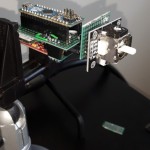
LipSync Update: The Joystick
With the LipSync, the user is able to move their cursor and navigate around their smartphone using a mouthpiece instead of needing to use their hands or fingers. But how is this done? With a joystick.

We use technology, knowledge and passion to empower Canadians with disabilities.
Skip to Navigation With the LipSync, the user is able to move their cursor and navigate around their smartphone using a mouthpiece instead of needing to use their hands or fingers. But how is this done? With a joystick.

During the course of any design project, the product will go through many changes. Some changes are for aesthetics, others for practicality. Our LipSync is no exception.

As computers become more and more integral to our world, the skills required to use them have, for many of us, become second nature and something we take for granted. For Lily, this was not the case, yet she was able to find help through the Neil Squire Society’s Computer Comfort program.

Over the last few months, it’s been Director of Development, Chad Leaman’s goal to connect to the communities and people that can make the LipSync a reality, and one that’s not only accessible in use, but also accessible in cost and availability.

Until he came to the Working Together program, Erick had been out of work in his field for over three years and believed that the gap between jobs on his resume and the perception of his disability were keeping him from finding sustainable employment.